· Jesse Edwards · Case Studies · 6 min read
Layered Security, from Hardware to Runtime
Layered security from hardware to runtime: TPM/HSM, WAF, CI/CD scanning, secrets rotation, and encryption. Practical implementation beyond HTTPS.
Repeat after me. Security is important, security is a part of the product. Not an afterthought. I will not ship “faster” at the expense of security.
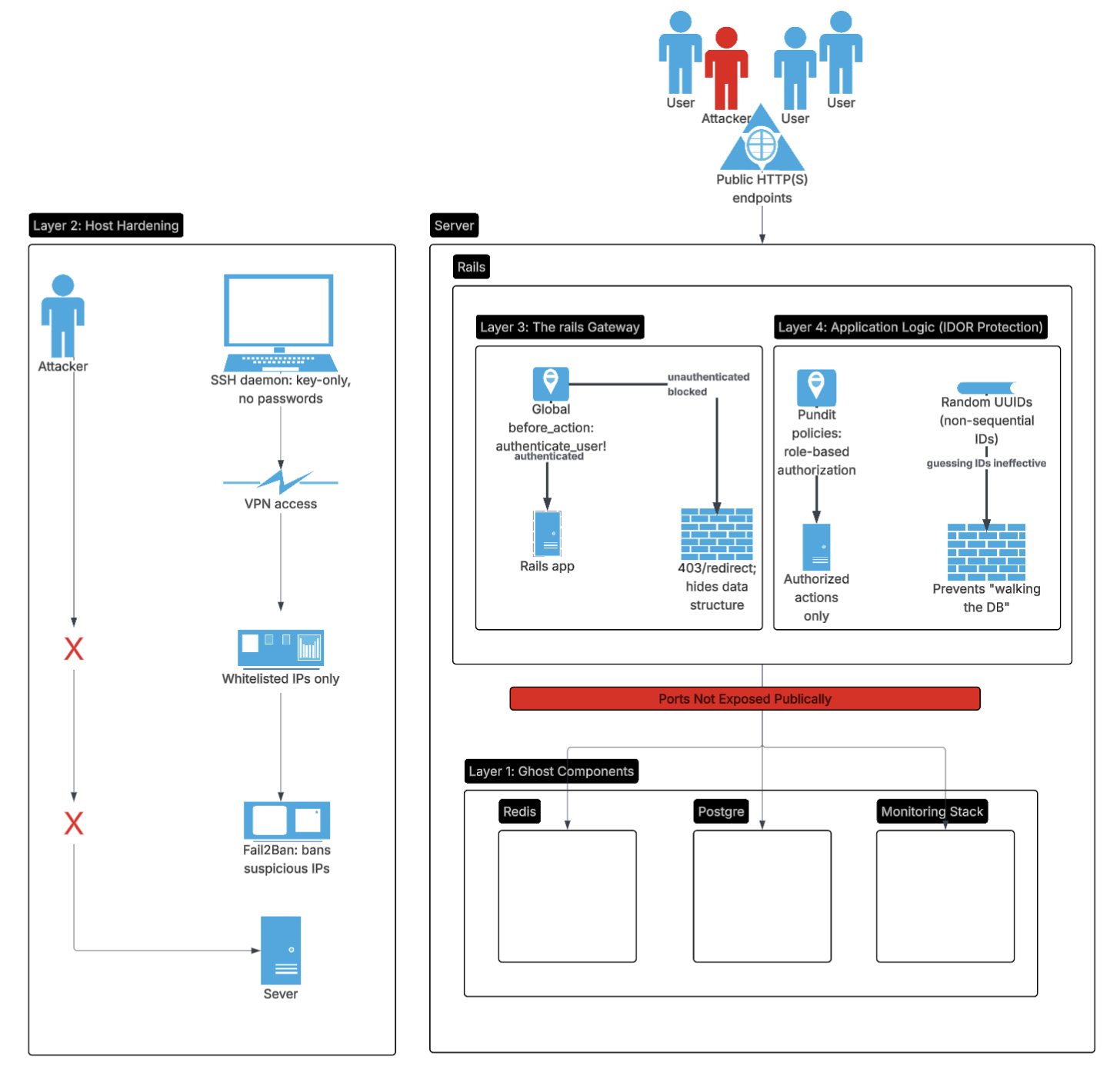
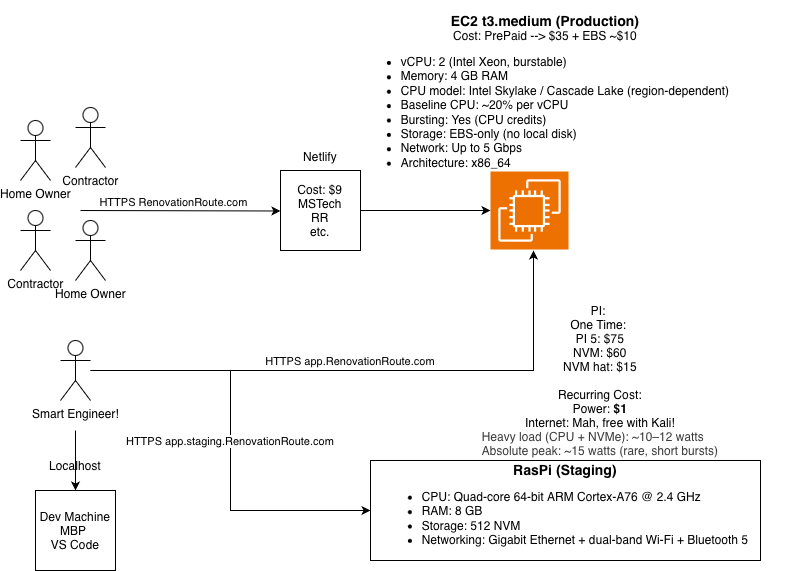
In our last posts we have tackled scoping architecture, building and securing an application. If not already, please go take a gander at those. The steps are fundamental for any application.
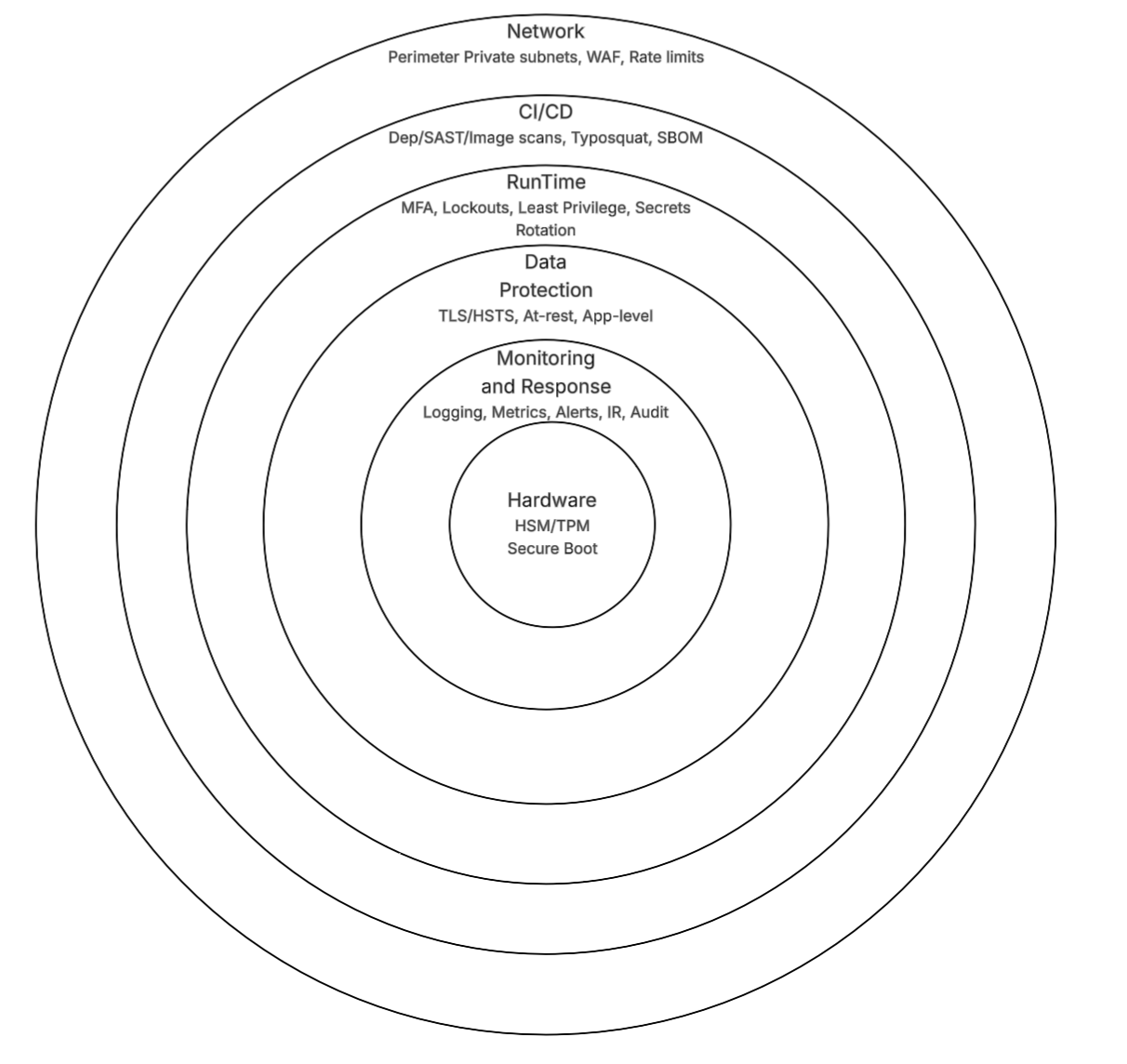
After getting high risk items out of the way in the last post, this post discusses one layer deeper. We begin at the hardware foundation (because if the hardware is compromised, you lost), move to external network isolation and defenses (WAF for inbound threats), secure the CI/CD pipeline (scanning for vulns), enforce account lockdowns and secret rotations (runtime hygiene), and wrap with encryption, monitoring, and compliance. This is not an extensive security post, there could be thousands of posts on security. This is the next logical step in deploying a successfully application to production.
I was fortunate enough that my career path followed the logical security progression from the ground up starting with hardware. Working with HSM, secure boot and chain of trust, then moving to network security, CI/CD security, runtime controls, and finally data protection and monitoring. Personally it is hard for me to learn if the material or steps are out of order, hence why when I write these blogs I start high level, go deeper and go in sequence. Although you do you.
I will walk through each layer, explaining the rationale and practical steps. This knowledge is intended to help you understand what should be implemented at each layer and for you to do further research on each topic.
Layer 1: Hardware Foundation - Root of Trust
Everything starts physical. Software defenses mean nothing if the underlying hardware or boot process is tampered with. When working with hardware security I had the opportunity to visit a lab where they de-layered chips to bypass or figure out how the physical security was implemented. There are a lot of different attack vectors at the hardware level. I encourage you to look them up, they are fascinating. Hardware security has come a long way and most modern devices have:
TPM (Trusted Platform Module): Integrated in most servers (e.g., AWS EC2). Measures boot components to detect tampering.
HSM (Hardware Security Module): Securely generate, store, and manage cryptographic keys.
If you are leveling up your security posture, understanding and implementing hardware security features like TPM and HSM is a great starting point. Take time to understand secure boot and chain of trust.
Layer 2: Network Perimeter - External Defenses
In the previous post we indirectly covered network security. First network perimeter, when possible always isolate your services from the public internet. If you think about a castle, they wouldn’t put the kings bedroom on the outside of the castle, just like you should put services outside of the network unless needed.
After isolation there is Web Application Firewall (WAF). WAFs sit in front of your app (e.g., Cloudflare, AWS WAF) and block common threats like SQLi, XSS, and bots before they reach the application. They stop attacks early, often preventing exploits that would be much harder (and more expensive) to handle in your own code.
Since WAFs process all incoming traffic, a misconfiguration, bug, or overload can degrade performance or take your site offline entirely. We don’t see this often, but it does happen so be careful.
Bottom line, isolate when possible and depending on your use case, consider using a WAF.
Layer 3: Build Pipeline - CI/CD
Humans make errors and the more tedious the process is, the more likely mistakes will happen. Try to automate as much as possible. Early in my career I created a program to check the running hardware register values against the expected values to automatically catch misconfigurations. I was shocked at how often the hardware was misconfigured. But when you have to manually configure hundreds of pins, hundreds of times, the amount of errors start to make sense.
One way to automate security is through CI/CD. This allows you to catch vulnerabilities early in the development process (shift left) and it is automated.
Automated Scanning: Leverage the pipeline to scan for vulnerabilities in dependencies, static code analysis, and container images. Understand the info, warnings, and errors generated by these tools and act on them appropriately. Fail the build on issues that were determined critical.
Typosquatting Defense: Pin deps and verify hashes. For CI: Add a step to check for common misspellings.
Supply Chain Extras: Sign commits, use SBOMs (Software Bill of Materials). This helps if a package has an issue you can easily determine if you are impacted.
Rules on Who can Deploy: Define and enforce policies on who can deploy to production. Use role based access control (RBAC) to limit deployment capabilities to authorized personnel only.
Layer 4: Runtime Controls - Account Lockdown and Secrets Rotation
Pipeline secure? Now harden runtime access and secrets where most breaches happen via human error or leaks.
Locking Down Accounts: MFA everywhere, although as a user I prefer built in hardware keys (e.g., Touch ID, Windows Hello). They are secure and easy to use. Do not make me remember another password or use a password manager please. Rate limit logins, auto lock after 5 fails.
Rotating Secrets: Use AWS Secrets Manager or Vault. Auto rotate DB creds quarterly, fetch at runtime.
Least Privilege: IAM roles for apps, no root users.
Layer 5: Data Protection - Encryption Layers
With access controlled, encrypt to render stolen data useless.
- In Transit: HTTPS via ACM, HSTS.
- At Rest: RDS encryption, S3 SSE, KMS.
- App-Level: Encryption for PII (attr_encrypted, Django’s crypto, Node crypto module)
Layer 6: Detection and Response - Monitoring and IR
This deserves its own post! Keep an eye out for it.
Expanded Security Layers Table
Building on the previous basics, here’s the full progressive stack:
| Layer | Component/Tool | Defense Mechanism | Purpose |
|---|---|---|---|
| Hardware Foundation | TPM/HSM | Boot measurement & key sealing | Prevent tampering at silicon/boot level |
| Network Perimeter | WAF (Cloudflare/AWS) | Traffic inspection & blocking | Stop exploits before app layer |
| Build Pipeline | CI/CD Scans (Dependabot/Brakeman/Trivy) | Vuln detection & typosquatting checks | Secure code from dev to deploy |
| Runtime Controls | MFA, Account Locking, Secrets Rotation | Access limits & dynamic creds | Block unauthorized runtime access |
| Data Protection | Encryption (TLS, at-rest, app-level) | Data obfuscation | Render breaches harmless |
| Detection & Response | Monitoring, Logging, IR Plan | Anomaly alerts & recovery | Catch and contain incidents |
| (Previous) Network | Docker Bridge | No Public Port Mapping | Isolate DB from the Internet |
| (Previous) Host | Linux/EC2 | SSH Keys Only | Prevent Server Takeover |
| (Previous) App Framework | Web Framework (e.g., Rails, Django) | Strong Params & UUIDs | Prevent SQLi & Discovery |
| (Previous) Business Logic | Authorization Library (Pundit, CanCanCan, Spring Security, etc. | Policy-Based Auth | Prevent IDOR / Multi-tenant leaks |
| (Previous) Identity | Auth Library (Devise, Passport, Spring Security, etc.) | Lockable Accounts | Prevent Credential Stuffing |
Closing: Security as Progressive Armor
This is the second post on security, still just scratching the surface. Although it is basic security advice it can and should be implemented. Do not use the excuse we are shipping fast or missing deadlines. There are zero scenarios I have come across where deadlines are lax. If you are using that excuse then you need to fix why you are estimating software delivery incorrectly. Maybe we can write up a blog post on estimating delivering software, since most team leads and managers get it wrong.
Two callouts. One, if you are about to start a new renovation/remodel on your home, protect your wallet and your sanity, use RenovationRoute.com. Two, if your team is struggling with security or architecture, MSTechAlpine.com can help you avoid sleepless nights.