· Jesse Edwards · Case Studies · 10 min read
Why We Moved Most of Our Code Off GitHub
GitHub Actions kept going down when I needed to deploy, Copilot reviews cost $50 to $100 a month, and GitHub itself got hacked. So on November 15 we moved our private code to a Forgejo server in our office. Here is what we moved, what we kept on GitHub, and what it costs now.
On November 15, 2026, we stopped using GitHub for most of RenovationRoute’s code. It took one day. Everything we write now lives on a Forgejo server on a desktop in our Denver office, and GitHub holds archived, read-only copies of what used to be there.
Why we left
Three reasons, and any one of them would have been enough.
I could not deploy. Our deploys ran on GitHub Actions, so when Actions went down, so did our ability to ship. In 2026 it went down a lot. GitHub’s own availability reports cover a July incident where hosted runners had delayed and failed job starts for about ten hours, and an October 5 incident where jobs sat queued or never started for over three and a half hours. In August a bad internal deploy took Actions down for roughly nine hours. Then November got worse: incidents on the 3rd, 4th, 9th, 10th and 11th. On the 11th, Actions, Pages, Copilot and webhooks all went down together, and it was evening before GitHub cleared the backlog of jobs. For a one-person company, a ten-hour gap means a fix that’s done and tested doesn’t reach customers that day.
Code review was costing too much. I was paying $50 to $100 a month for Copilot code reviews. That’s real money for a solo founder, for a feature I could build myself.
GitHub was hacked. In May, GitHub confirmed that a poisoned VS Code extension on an employee’s laptop gave an attacker access to about 3,800 of GitHub’s internal repositories, and GitHub had to rotate its own secrets. Then on November 10 and 11, the same days Actions was going down, came the “wfx-loot” campaign. An attacker used 4,837 hijacked GitHub accounts to probe 61,764 repositories and plant code that steals CI secrets. Security researchers confirmed it ran in at least 1,806 repos. It went after exactly what we kept in GitHub: Actions secrets, cloud credentials, and AI API keys. The advice for anyone hit was to treat every secret those workflows could reach as stolen and rotate it.
Our deploy keys, registry password, and server addresses all sat in GitHub Actions secrets. I didn’t want those on a platform that was a target that big.
The funny part is that I wrote this down in January. In Security Discussion 1 I called GitHub “both a front door and a potential backdoor,” with stolen pipeline secrets and compromised CI workflows on the backdoor list. A few days later, in Threat Modeling a Real SaaS, GitHub and CI got their own attack path, which I called “the other Tier-0 path.” It listed account takeover, compromised CI secrets, and workflow tampering, and the payoff for the attacker was arbitrary code deployed and silent compromise.
Ten months later, wfx-loot did exactly that: hijacked accounts, tampered workflows, stolen CI secrets. In January my answer was to limit the blast radius: two-factor, minimal access, tightly scoped secrets. That’s still right, but this time I could also shrink the target. The deploy path doesn’t run through GitHub anymore.
The week before we moved
| Date | What happened |
|---|---|
| Nov 3 | Git clones, fetches and pushes degraded for about two hours |
| Nov 4 | Pull requests, Git and Issues degraded for two hours (GitHub rated it major), then Actions delays that afternoon |
| Nov 9 | Actions and the Checks API down for about an hour |
| Nov 10 | Slow Git and pull requests, delayed Actions runs. The wfx-loot attack starts |
| Nov 11 | Actions, Pages, Copilot and webhooks down together. The wfx-loot attack continues |
| Nov 15 | We moved to Forgejo |
Four days after the worst of it, we were off.
GitHub is still a fine place for public code, and some of ours stays there. This post covers what it took to move, what we run now, and the parts that surprised me.
What moved, and what did not
Moved to Forgejo:
- renovationrouteapp, the Rails app
- construction_processing, the nightly pipeline that reads federal jobs and builds bid checklists
- infra, which records how our machines are set up
- A handful of smaller private projects
Still on GitHub, on purpose:
- The marketing sites. They are mostly static pages with no secrets, and I don’t deploy them often. If GitHub is down for an afternoon, nothing breaks.
- Open source. Code meant to be public belongs where the public can find it.
The rule we ended up with: private code and anything that can deploy lives at home. Public code lives on GitHub.
What we run now
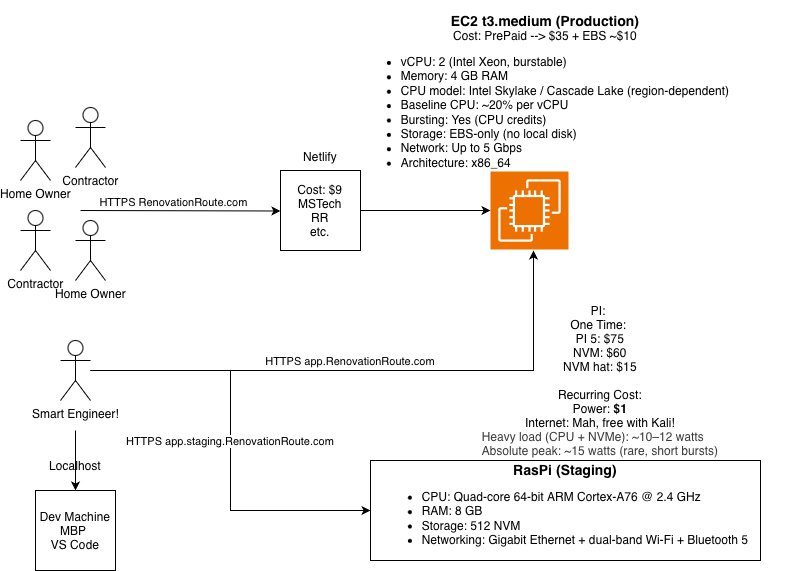
One desktop runs it all: an older Intel i3 with 32 GB of RAM and a separate encrypted data drive. On it:
- Forgejo for code, pull requests, issues, and the container registry. It is only reachable over our private Tailscale network, not the public internet.
- Two CI runners. Pull request tests run inside a virtual machine. Deploys run on a separate runner on the host. More on why below.
- Renovate, which opens a pull request every Monday for dependency updates. It replaced Dependabot.
- An AI code review bot that comments on every pull request. An hourly job reads its logs and puts the cost on our spend dashboard, next to the pipeline’s AI costs.
A Raspberry Pi 5 sits next to it as a warm standby. Every 15 minutes it mirrors every repo into its own Forgejo, and it pings the desktop. If the desktop stops answering, it texts me. Switching git over to the Pi is a written, deliberate step, not something that happens on its own.
All of our CI runs at home now
This turned out to be the best part. Everything that checks our code runs on our own desktop, and none of it waits for someone else’s runner queue.
Every pull request into dev or staging gets static checks in about two minutes. Merging is blocked until they pass:
- RuboCop for Ruby style and lint across the whole Rails app
- Brakeman, a security scan of the whole Rails app
- bundler-audit for gems with known vulnerabilities
- OSV-Scanner for JavaScript and Python packages with known vulnerabilities
- gitleaks for keys, tokens, or passwords in the code and in every commit the pull request adds
- pyflakes for Python errors in the data pipeline
Every pull request into staging runs the full test suites, and staging won’t accept anything that hasn’t passed:
- RSpec, the full Rails suite, each run on its own throwaway database
- Browser tests in headless Firefox, running alongside RSpec
- pytest for the pipeline, against a test database that can’t reach production
Review and guardrails:
- AI code review comments on every pull request in both repos for about $0.01 to $0.40 a run. That’s where the $4 to $8 a month comes from. Its key lives in its own OpenAI project with a monthly budget, and the job only gets the two secrets it needs.
- Main only from staging: a check that blocks any pull request into main that didn’t come through staging.
- Renovate opens dependency update pull requests every Monday. It replaced Dependabot.
Deploys and operations: deploy to staging or production, roll back production, deploy the MCP server, restart a production background service, and stop staging. For the data pipeline, every merge into main updates the copy that runs on the desktop. It waits for running jobs to finish, smoke-tests the new version, and rolls back on its own if the smoke test fails.
Two things make this better than what we had:
- CI runs the same scripts I run. Checks and tests use the same
run_checks.shandrun_specs.shas my pre-push hook. If it passes on my laptop, it passes in CI. - Untrusted code never touches the deploy keys. Pull request jobs run in a VM, and only the deploy runner holds production secrets.
How the move went
The order mattered more than anything else.
- Stand up Forgejo next to GitHub. We ran a one-way sync from GitHub into Forgejo while we rebuilt the CI workflows.
- Move deploys one at a time: staging first, then production and rollback, then the MCP server. Each one got its own pull request.
- Make Forgejo the main copy. Then delete the sync script. A one-way sync left running is a way to overwrite real work with old code, so it had to go the moment Forgejo became the source of truth.
- Archive the GitHub repos and remove their deploy secrets. Point every local checkout at Forgejo. We kept the old GitHub URL in each repo’s git config in case we needed it.
- Delete the old
.github/workflowsfiles and add Renovate.
The trap I almost walked into
Forgejo Actions is close to GitHub Actions. It is close enough that Forgejo will also read your old .github/workflows folder.
Our old GitHub workflows included “Deploy to Production on push to main.” While the repos sat in both places, those files were still on most branches. The only reason they never ran is that no runner of ours answered to ubuntu-latest. One runner given the default GitHub label would have woken up a deploy nobody meant to trigger.
So the rule went into our setup notes in bold: never give a runner a GitHub label. We also disabled those workflows in the Forgejo UI until we could delete the files.
Secrets are the real design problem
This was the part I thought hardest about.
On GitHub, a lot of protection comes free with the platform. Forgejo is younger, and one gap matters a lot: Actions secrets belong to the whole repo, not to a branch. Anyone who can push a branch can push a workflow that runs with the deploy keys.
That shaped three decisions:
- Untrusted code runs in a VM. Pull request tests run in their own virtual machine with its own test databases. The runner that deploys has the host’s Docker socket, which is the same as root on that machine, so it only runs deploy jobs.
- Most accounts get Read access, not Write. Our development VM, where AI agents do a lot of the work, can read the code and file issues but cannot push. Merging happens from one machine.
- Each secret goes only to the step that uses it, not to the whole job. That was the first pull request we merged on Forgejo.
What it costs
| Before (GitHub) | After (Forgejo) | |
|---|---|---|
| AI code review | $50 to $100 a month (Copilot) | $4 to $8 a month (our own bot) |
| Forgejo, runners, Renovate | n/a | free |
| Hardware | n/a | the desktop that already ran our pipeline |
The review bot posts a comment on every pull request, just like before. An hourly job reads its token counts and puts the cost on the same dashboard as the rest of our AI spend, so I see it every morning instead of finding out from an invoice.
The real cost is that I’m now on call for git. So far, that has been less work than waiting for GitHub to come back.
What I would tell someone thinking about it
- Do it in a weekend, not over a month. Running two sources of truth is where the risk is. Make the switch short and make it final.
- Write down the machine. We keep an
infrarepo with every service file, compose file, and rebuild step, copied from the live server. If the desktop dies, the Pi has the code and the repo explains how to put everything back. - Have a standby before you need it. A mirror that is 15 minutes old is boring, and boring is what you want when your only server stops answering.
- Keep public things public. Self-hosting your private code doesn’t mean you have to leave GitHub completely.
One week in
GitHub’s outages are no longer my outages. When I merge, it deploys. Code review costs about a tenth of what it did, and our deploy secrets live on a machine I can walk over and unplug.
There’s a tradeoff: when something breaks now, it’s mine to fix. I’ll take that. When the problem is on my own machine, I can fix it. When the problem was GitHub’s, all I could do was refresh a status page and wait.